

Categories
JavaScript Security

API Authentication: A Complete Guide to Basic Auth, Bearer Tokens, and JWTs

Introduction

You’re building an API. Your frontend needs to authenticate users, and you’re staring at three options: Basic Auth, Bearer Tokens, and JWTs. Pick the wrong one and you’ll either overengineer your simple app or create a security nightmare in production.

This comprehensive guide will show you exactly how each authentication method works, when to use them, and the critical security mistakes that can cost you. Whether you’re building your first API or optimizing an existing system, understanding these fundamentals will help you make informed architectural decisions.
Categories
JavaScript

Mastering JavaScript Variables: Essential Tips and Tricks for Modern Development

Working with variables is fundamental to JavaScript programming, yet there are countless nuances and modern techniques that can make your code cleaner, safer, and more efficient. Whether you’re building a simple web app or a complex application, mastering these variable patterns will level up your JavaScript game.

Categories
Automated Testing JavaScript Mocha

Mocha

Mocha is a popular JavaScript testing framework that is widely used for automated testing with Selenium. It provides a structured way to write and organize test cases, making it easier to manage and execute automated tests for web applications.

Categories
Automated Testing JavaScript Selenium

Selenium & JavaScript

Selenium documentation

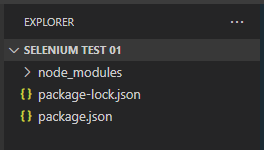
Initialize the project

npm init -y
// https://www.npmjs.com/package/selenium-webdriver?activeTab=readme
npm i selenium-webdriver
Categories
JavaScript

JavaScript ES6

ES6, also known as ECMAScript 2015, introduced several new features and syntax improvements to JavaScript. Here are some key aspects of ES6:

Categories
React

Learning React

Setting up the Dev environment

npm i -g create-react-app@1.5.2

Download and install visual studio code (set the Oceanic Next theme or Ayu Mirage)

Add the extensions:

  • Simple React Snippets (developed by Burke Holland)
  • Prettier – Code formatter (developed by Esben Petersen) – File > Preferences > Settings > set this to format on save